SFTP Gateway 3.x Usage Instructions
TLDR - Quick Summary
What: Choose deployment method for SFTP Gateway from AWS Marketplace
Recommended: CloudFormation (auto-configures IAM, networking)
Options: Single Instance (New/Existing Network), HA (New/Existing Network), or AMI (manual setup)
Most Common: Single Instance Existing Network for quick deployment into default VPC
This article covers how to launch SFTP Gateway from the AWS Marketplace.
On the Configure page, you can choose between two Fullfillment Options.
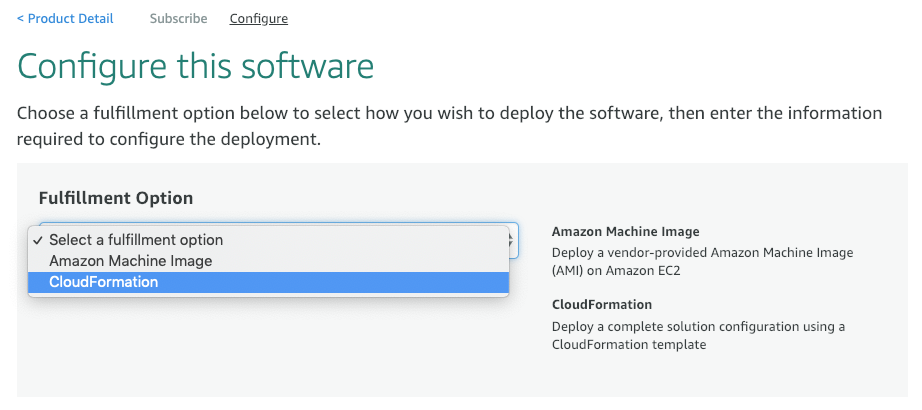
We highly recommend using CloudFormation because it configures additional AWS resources you would otherwise need to provision manually.
CloudFormation
You can choose from multiple CloudFormation templates:
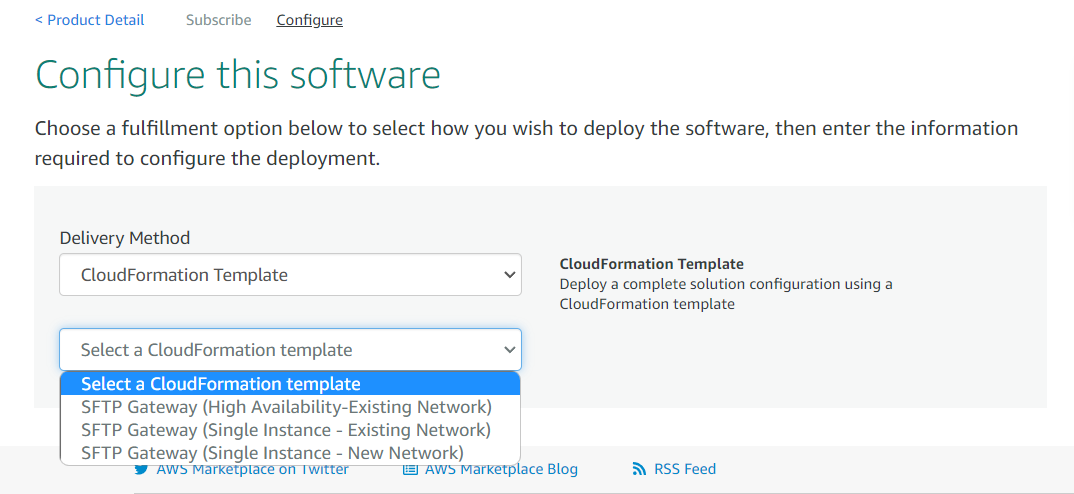
There are 2 template options for SFTP Gateway 3.x:
Single Instance Setup (New Network)
Configures SFTP Gateway as a single EC2 instance. This option is the most cost-effective and easiest to maintain. Deploys into a new VPC.
Click here for detailed setup instructions.
Single Instance Setup (Existing Network)
Same as above, but deploys it into an existing VPC and subnet.
Click here for detailed setup instructions.
Amazon Machine Image
This option launches a standalone EC2 instance. After launch, you will need to perform some manual steps, such as creating an IAM role to access S3.
Click here for detailed setup instructions.